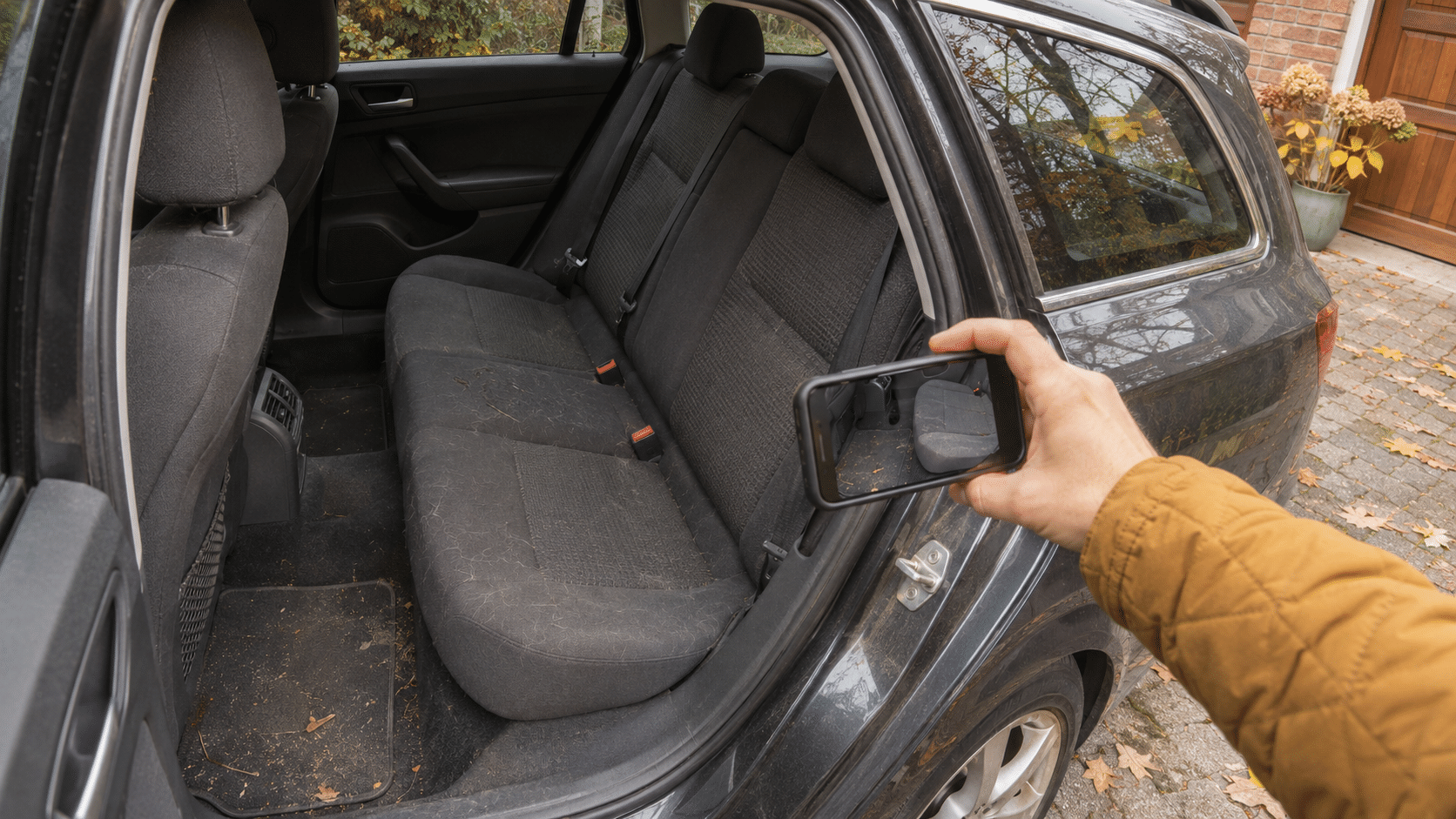
A driver asks for an interior detail and attaches a close-up of pet hair on the back seat. You can see the hair, but you can’t tell whether it’s limited to one seat or worked into the carpet throughout the SUV. That difference can change the work you quote and the time you reserve.
A good detailing intake form asks for the photos and details that help you make that decision. It also gives customers a way to start when their car is in a dark garage, their phone won’t upload the image, or the problem is something a photo can’t show.
Key Takeaways
- Ask for photos when vehicle condition can change the price, scope or time you reserve.
- For pet hair or spills, ask for a wide view of the affected seats and floor and a close-up of the worst area.
- Let drivers describe the problem if they cannot upload a photo.
- Offer an in-person assessment when photos leave the paint condition unclear.
- Tell the customer when you can confirm the work, price and appointment.
Get the Detailing Photo Intake Worksheet to check which photos and answers your shop needs.
Decide which jobs need photos
Start with the choices you make when a request comes in. A returning customer who wants the same maintenance detail on the same car may be able to book from the service page. Ask if the vehicle or its condition has changed. If they mention a spill or heavy pet hair, give them a way to flag it before they reserve the usual slot.
For a first-time interior detail, ask what the customer wants cleaned and which areas are affected. Photos are useful when the answer can change the scope, the price range or the time you set aside. If the customer simply wants a routine clean and your package has clear limits, a description may be enough.
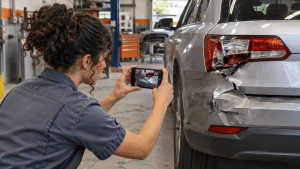
Paint correction calls for a different decision. Photos can show which panels the owner is concerned about. Reflections, lighting and camera angle can hide marks or make them look worse. Use the pictures to decide whether to ask a follow-up question or arrange an assessment. Explain when you can confirm the work and price in person. If a customer is also considering a coating, explain how you’ll assess the paint before quoting any preparation or correction. Your detailing package comparison can explain those service choices before the customer reaches the form.
Show people how to take a useful photo
“Upload photos” leaves a customer guessing. Put one short instruction next to the upload field and tailor it to the work they selected. Start with a wide view that shows where the issue is, then ask for a closer view if the detail matters. A pair of useful photos can tell an estimator more than ten close-ups without context.
- Pet hair or a spill. Ask for a wide view from the open door showing the affected seats and floor, plus one closer view of the worst area. Ask whether it affects one row, multiple rows or the cargo area.
- Paint marks. Ask for one photo showing the panel and one closer angle in even light. Ask which panels concern the customer and what result they want.
- Odor. Ask where the customer notices it and whether they know the source. A photo of a visible spill may help. The description and your inspection will guide the decision when there’s nothing to photograph.
Use your own demonstration images if customers regularly send pictures your team can’t use. A wide shot of a rear seat beside a close-up of the same fabric shows what you mean without a long explanation. Ask customers to keep faces, plates, mail, registration papers and other personal items out of frame. The Federal Trade Commission’s guide to protecting personal information recommends keeping only the information your business needs. Give access to the people reviewing the inquiry and decide how long to keep the images.
Build the form around what changes your answer
Collect the basics first. Ask for the vehicle year, make and model, the requested service, and a reliable way to reply. Add a choice like Help me choose for customers who know they want the car cleaned but have no idea which package fits. For mobile work, start with the service ZIP code. Ask for a street address or access details when they’re needed to confirm the job. Our auto detailing website checklist covers the broader differences between mobile and shop appointments.
Use the service choice to show a few relevant follow-up questions. An interior inquiry might ask which areas are affected, whether the issue is pet hair or a spill, and whether the customer has a deadline. An exterior inquiry might ask which panels need attention and what the owner would like improved. Avoid asking every driver for every detail. Your estimator should be able to tell why each field is there.
A parent might select Interior detail, choose Second row and cargo area, and add that they need the car back before a road trip. Two photos show the cargo carpet is in worse shape than the seats. Your team can check whether the standard package includes that work, explain any additional labor and set aside enough time. If the photos are unclear, ask for a specific view or confirm the scope at drop-off.
Make the upload optional where you can. Show the accepted file types, size limit and number of photos next to the field, using the limits your form actually enforces. If a customer can’t upload a photo, let them submit their description and explain how you’ll follow up. For jobs that require an assessment, offer that path on the page so the customer can move forward without trying the same upload again.
Tell the customer what you’re confirming
A confirmation should distinguish a received inquiry, a preliminary estimate and an appointment. Use Request a Detailing Estimate if a person still needs to check condition and availability. Use Book a Detail for services your process can schedule immediately. If you offer both, make it clear which path the customer is on before they submit.
For condition-dependent work, the form can say:
We received your detailing request. We’ll review the vehicle details and any photos you sent. If we need another photo or a closer look, we’ll let you know before confirming the scope, price and appointment.
If you can offer a price range from the photos, explain what it covers and what still needs to be checked. For example, the estimate might cover the rear seats and cargo carpet shown in the request. If your team finds additional work at drop-off, explain what it would cost and get the customer’s approval before expanding the job. Use the same wording on the service page, in the reply and at the counter so the customer hears a consistent answer.
Test the form from the customer’s phone
Try a routine booking first. Check whether the website sends a returning customer through an upload they don’t need. Then submit a pet-hair request with a wide view and a close-up. Ask the estimator whether they can identify the vehicle, affected areas and requested service from the notification, and whether both photos open.
Next, try an oversized file or a photo format your form rejects. The error should explain what happened, tell the customer how to fix it and preserve their other answers if possible. Try submitting without a photo and check that the confirmation gives a clear next step. Our guide to testing whether your website contact form works covers the visitor’s confirmation and the message your business receives.
Finish with a paint correction inquiry where the photo is inconclusive. Check that the estimator can direct the customer to an assessment without committing to a price or a result. If the form leaves you asking the same question on every call, add that question in plain language and remove a field you rarely use.
Get the Detailing Photo Intake Worksheet
Use the one-page worksheet to test your photo prompts, upload instructions and estimate handoff. Pick three changes to make on your site.
Get Your Free Detailing Photo Intake Worksheet
Industry Ignitors can review your website and online presence and identify specific ways to improve the path from service selection to estimate request.