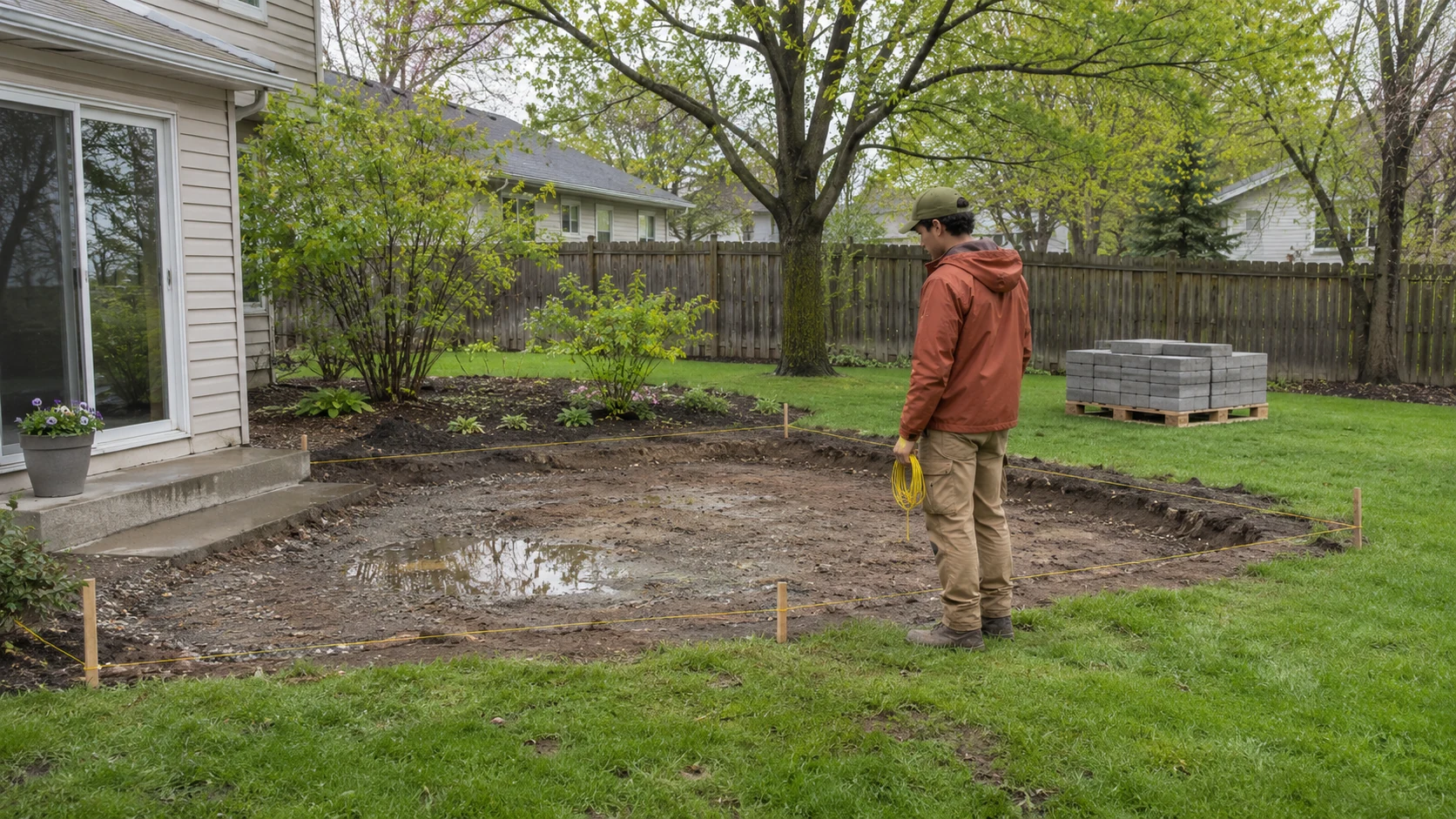
Two homeowners send inquiries on the same April morning. One needs weekly mowing because their current provider is retiring. The other wants a new patio finished before a graduation party. You might be able to add the first address to an existing route. You might have time to look at the second yard next week and still have no room on the installation calendar until after the party.
Your website should help both customers decide whether to reach out. Give each service a clear availability message, ask how much flexibility the customer has, and explain when your team can confirm timing. That way a homeowner can tell the difference between requesting an estimate, joining a waitlist, and having a crew on the schedule.
Key Takeaways
- Your website should clarify availability for services like weekly mowing and patio installations to help customers decide.
- Use a simple status beside action buttons to match availability, whether it's accepting requests, closed for the season, or full with a waitlist.
- Ask relevant timing questions in your inquiry form to help your team assess service capacity and timelines effectively.
- Keep your website updated in line with crew availability and one person should manage this process for consistency.
- Test the customer experience by simulating inquiries and confirming that the information on your site matches what the customer receives.
Get the Seasonal Landscaping Inquiry Planner to check your own service pages and follow-up messages.
Check capacity by service before you change the website
Start with the decisions you actually make when an inquiry arrives. For weekly mowing, can a crew reach the property on its existing route? For spring cleanups, how many one-time jobs can fit around recurring customers? For patio work, can you send an estimator even if your installation crew is committed for the next few weeks? A company that handles commercial grounds may also have renewal deadlines and contract start dates that belong with the account manager.
Seasonal timing affects the work as well as the volume of inquiries. The UW–Madison Extension lawn care calendar shows how lawn tasks in Wisconsin line up with grass growth and the season. Its fall tree planting guide identifies species that may do better with spring planting. Use local conditions and the actual scope to decide what your crew can take on. A general seasonal window still leaves an individual start date to be confirmed.
If your site already separates lawn care, cleanups, and landscape construction as suggested in the landscaping website checklist, give each of those pages its own timing message. Someone who lands on the mowing page from a phone search should see whether there is a next step for that service without having to read a sitewide banner.
Give customers an action that matches your availability
Put a short status beside the main button on the service page. If a form accepts multiple services, repeat the relevant message after the customer picks one. Here are three examples to adapt to your crew and service area.
- Accepting requests. “We’re reviewing weekly mowing requests in our current service area. Send your address and we’ll check whether we can add it to a route.” Use Request a mowing estimate.
- Full with a waitlist. “Our Tuesday mowing route is full. Join the waitlist if your first-cut timing is flexible. We’ll reach out if we can offer a spot.” Use Join the mowing waitlist if someone is assigned to check it and contact people.
- Taking estimates for later work. “We’re meeting with homeowners about patios for later in the season. If you have an event date, include it so we can tell you whether the project is feasible.” Use Request a patio consultation if consultations are available.
When a service is closed and you have no waitlist, give customers a useful place to go. You could leave the spring cleanup page up, explain that new requests are closed for the season, and point existing customers to their usual service contact. If you have a dependable date for reviewing capacity again, say when you’ll update the page. If you don’t, a plain closed notice is enough.
Ask timing questions your team can use
Keep the form short enough to complete on a phone. Your office needs enough information to decide whether to check a route, schedule an estimate, discuss a different window, or tell the customer promptly that the timing won’t work. The landscaping estimate form examples cover the broader intake for maintenance and installation. For seasonal capacity, focus on the fields that change your answer about timing.
Weekly mowing or a seasonal cleanup
- Property address. Ask for the street and ZIP code so the office can check the actual route. A town name may cover several crew routes.
- Service requested. Let the visitor choose weekly mowing or a one-time cleanup. If they select cleanup, show only the timing and availability information for that work.
- Preferred timing. Offer a first-cut week or cleanup window and an “I’m flexible” option. A person replacing their mowing company may need a clear answer sooner than someone planning a fall cleanup.
- Contact details. Collect a name and the email or phone number you will use to reply. If the route is full, show the waitlist option only where you run one.
An open-route confirmation could read, “We received your mowing request. We’ll check your address against the route and contact you about availability. We’ll confirm your first service date separately.” For a waitlist, use a different reply that says they’ve joined the list and explains how you’ll contact them if space opens.
A patio or other installation
- Property location and work requested. Ask for the site address and a brief description so the estimator knows whether this is a small paver extension or a larger project with grading and other work.
- Desired window. Ask when they would ideally like the work finished. Offer “I’m still planning” for homeowners who haven’t picked a month.
- Firm deadline. If the customer chooses a date, ask whether it’s tied to an event or another contractor. Make the date and reason easy for the estimator to spot.
- Reply details. Ask how to reach the customer. Keep photos optional unless you need them to determine whether the job fits.
A project confirmation could read, “We received your patio inquiry and target date. We’ll review the scope and crew schedule before offering an estimate visit. If the timing looks too tight, we’ll let you know before setting up the visit.” If customers can reserve an estimate visit online, label it Estimate visit in the scheduler and the confirmation email so they know what they booked.
Keep the website in step with the crew calendar
Give one person the job of updating availability. They need to know which routes are full, whether one-time cleanups can fit around recurring work, and which installation windows the project manager can discuss. During your busiest weeks, agree on a regular review and update sooner when heavy rain, a crew change, or a large job alters capacity.
Start with one place to maintain the message. A shared notice on the service page and its inquiry form is easier to keep current than separate announcements across several pages. If staff quote availability by phone, give them the same wording and tell them who can confirm a start window. Keep a way for existing customers to ask about a delayed visit or a scheduled job even when new requests are closed.
Test what each customer actually sees
On your phone, follow the mowing path as if you live on a full route. Does the page explain whether you can join a waitlist? Does the button still say “Request service” when it should say “Join the mowing waitlist”? Read the confirmation email and check that the request reached whoever manages the route.
Then submit a test installation inquiry with a firm event deadline. Make sure the date is prominent in the message the estimator receives, and check whether the customer could mistake the confirmation for a scheduled start. Use the website contact form testing guide to check both paths from submission through follow-up.
Get the Seasonal Landscaping Inquiry Planner
Use the one-page planner to compare your service pages, inquiry forms, and confirmation messages. Start with the service that generates the most calls about timing and write down three changes you can make before the next busy stretch.
Get Your Free Seasonal Landscaping Inquiry Planner
Review your landscaping website’s seasonal inquiry process
If customers regularly ask when work can start, Industry Ignitors can review your website and online presence and identify specific places to clarify availability, estimate requests, and follow-up.